
All-in-one tool for extracting, creating and editing icons
I love programs with nice, colorful icons; they make apps easier to locate in the hard drive, they look great on the desktop and – especially for us Softonic editors – they make gorgeous program thumbnails.
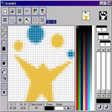
If icons are important for you too, you need an app like IcoFX. With IcoFX you have all the tools you need to work with icons at your fingertips. You'll be able to create, extract and edit icons in a breeze, both for Windows and Mac, and with support for transparency.
IcoFX can work with icons of any virtually size (from 16x16 to 256x256 or any custom size) and color palette (from 2 colors to 32-bit True Color). Plus it features more than forty filters and special effects to add a personal touch to your icons. Besides icon creation, IcoFX also helps you convert any image into an icon, and create icon libraries.
The interface in IcoFX may be a bit confusing at first, due to the use of multiple windows – the only drawback to this great program. Other than that, IcoFX is an excellent icon editor at an unbeatable price.
With IcoFX you can create, edit, extract and convert icons in many colors and sizes, for multiple operating systems and with support for transparency.






.png)

















User reviews about IcoFX
by Anonymous
Excellent icon creation, editing and managing program.
I love it.
It has advanced editing features.
Can create icon libraries (*.ico) which was essential for me.
Small footprint and it seems to be very light on resources.
No 'add-ware' in the installation (I downloaded IcoFX from the company's own website).
The program is not free, but it's not expensive either, so it is a very decent choice. More
by Anonymous
Clean & Simple. Excellent program. .
Clean design. Very ergonomic. Has all the functions needed to get the job done with out any useless complexity. Installation was a snap. It was less than 10 minutes between discovering it exists and finishing my first icon! More
by Anonymous
Trial version....
Although it´s a trial version, permiting 14 uses, it has many good features.
It permits transparent icons, which is a very nice feature. More
by Anonymous
great!.
honestly I love this soft. It helped me in the past to create wonderful icons for my little softs and adding to this it's really simple to use. More